Computer Hardware and Software Course – 6 Months
The Computer Hardware and Software Course – 6 Months offered by Inspire Institute of Technologies Pakistan is a practical vocational training programme designed to develop essential technical knowledge and hands-on skills in computer hardware, software installation, operating systems, system configuration, maintenance and troubleshooting. The course provides Learners with a clear understanding of computer systems, their components and the technical processes involved in installing, operating and maintaining computer equipment.
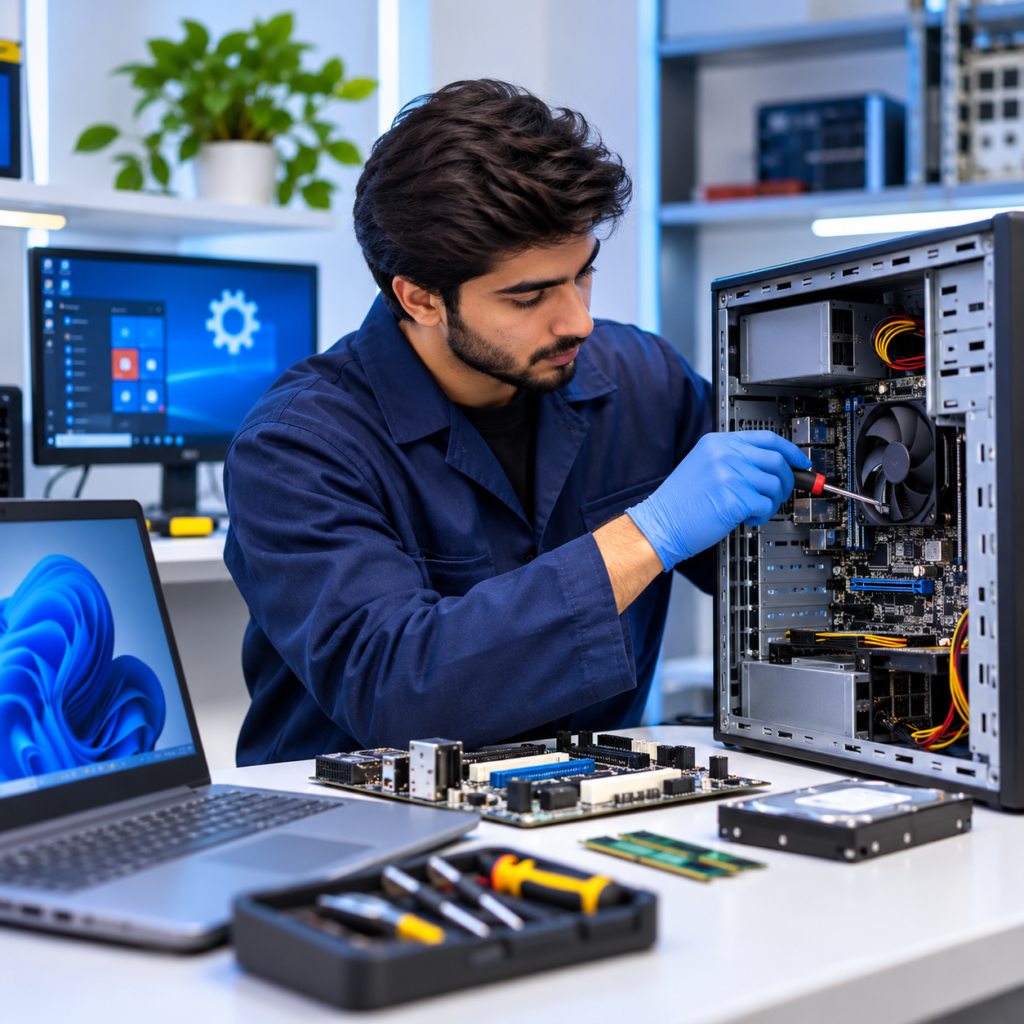
As computer technology continues to support businesses, educational institutions and organisations across different industries, skilled individuals with computer hardware and software knowledge are increasingly important. This course introduces Learners to essential computer components, including processors, motherboards, RAM, storage devices, power supplies, monitors and peripheral equipment. It also covers computer assembly and disassembly, operating system installation, software configuration, device drivers, BIOS/UEFI settings and routine system maintenance.
Throughout the six-month training programme, Learners develop practical competencies in hardware diagnostics, operating system management, software compatibility, computer security, data backup and technical troubleshooting. Practical exercises and guided laboratory activities help Learners identify common computer faults, configure system settings, install applications and perform essential maintenance procedures. Offered by Inspire Institute of Technologies Pakistan, a registered TTB-affiliated training centre, this course is suitable for students, beginners, job seekers and individuals seeking to develop technical IT skills. Upon successful completion, Learners can build foundational competencies for entry-level opportunities in computer maintenance, hardware support, software installation and IT assistance, while developing a foundation for further training in computer networking, system administration and cybersecurity.
Inspire Institute of Technologies Pakistan– TTB Affiliated Centre | Registration No. DTE&MT/TTB/IITP/ISB/14580.
Course Overview
Awarding Body
TTB
Duration
6 months
Study Mode
Online – blinded
Fee
35,000
Study Units
- Introduction to Computer Systems
- Computer Hardware Components
- Input, Output and Storage Devices
- Computer Assembly and Disassembly
- Operating System Installation and Configuration
- Software Installation and Management
- BIOS, UEFI and Computer Configuration
- Computer Maintenance and Troubleshooting
- Computer Security and Data Protection
- Practical Computer Maintenance and Repair

Entry Requirements
- Age: Generally 16 years or above.
- Educational Background: Basic education, preferably Middle or Matriculation (Grade 8–10) or equivalent.
- Professional Experience: No previous professional experience or IT background is required.
- Language: Basic understanding of English or Urdu to follow technical instructions and course materials.
- Computer Knowledge: Basic computer literacy is beneficial but not mandatory.
Who Can Enroll
The Computer Hardware and Software Course – 6 Months is suitable for individuals who want to develop practical computer maintenance and technical support skills, including:
- Students seeking practical computer hardware and software knowledge.
- Beginners interested in starting a career in Information Technology.
- Job seekers looking to develop employable technical skills.
- Individuals interested in computer assembly, disassembly and maintenance.
- Office assistants and administrative staff who want to improve their technical knowledge.
- IT support beginners seeking foundational troubleshooting skills.
- Individuals interested in software installation and operating system configuration.
- Anyone looking to develop practical computer repair and maintenance competencies.
Course Learning Outcomes
Upon successful completion of the Computer Hardware and Software Course, Learners should be able to demonstrate the following knowledge and practical skills.
Computer System Fundamentals
- Explain the basic concepts of computer systems.
- Differentiate between hardware and software.
- Identify different types of computer systems.
- Describe the functions of major computer components.
- Understand how hardware and software work together.
- Recognise the importance of computer systems in modern organisations.
Computer Hardware
- Identify motherboard components and their functions.
- Explain the functions of processors and memory.
- Differentiate between RAM, ROM and storage devices.
- Identify input, output and peripheral devices.
- Understand computer ports, connectors and cables.
- Recognise basic hardware compatibility requirements.
Computer Assembly and Disassembly
- Identify essential computer assembly tools.
- Follow safety precautions when handling computer components.
- Assemble and disassemble desktop computer systems under supervision.
- Install RAM, storage devices and compatible components.
- Connect internal and external computer devices.
- Perform basic hardware connection checks.
Operating Systems
- Explain the purpose and functions of operating systems.
- Install and configure Windows operating systems.
- Understand basic Linux operating system concepts.
- Create and manage disk partitions.
- Configure basic BIOS and UEFI settings.
- Install and update device drivers.
- Manage basic operating system settings.
Software Management
- Differentiate between system software and application software.
- Install and uninstall computer applications.
- Configure basic software settings.
- Identify software compatibility issues.
- Manage application updates.
- Apply basic software troubleshooting procedures.
Computer Maintenance and Troubleshooting
- Identify common hardware and software faults.
- Perform basic computer diagnostic checks.
- Recognise common startup and performance problems.
- Apply basic troubleshooting procedures.
- Perform routine preventive maintenance.
- Follow safe computer cleaning and handling practices.
Computer Security and Data Protection
- Identify common computer security threats.
- Understand the importance of antivirus software.
- Apply basic password protection practices.
- Perform basic data backup procedures.
- Recognise unsafe software and internet activities.
- Follow basic computer security practices.
Practical Computer Servicing
- Inspect basic computer hardware components.
- Perform routine computer maintenance.
- Install operating systems and essential applications.
- Configure peripheral devices.
- Identify common technical problems.
- Apply basic repair and troubleshooting procedures under supervision.